



















Manage multiple orders at once
On the SumUp app, select the profile icon in the corner of the screen.
Choose "Orders".
Enable the "Accept open orders" toggle.
If you don’t have permission to perform this action, please reach out to the owner or administrator of the SumUp profile for support.
Once active, tap "Park order" above the charge button while taking an order to save an open order for later. Find it again by tapping the "Open orders" icon in the top right corner of the checkout page.
Where is the multiple open orders feature available?
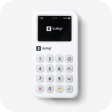
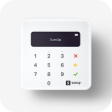
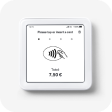
The feature is available through the SumUp app on tablet and mobile devices running iOS and Android, and is also supported on both the POS Lite and the SumUp Terminal.
With order synchronisation, your orders are updated in real-time across all your devices, so you can manage them and make payments seamlessly.